
File & folder sharing
Move documents, photos, videos and entire folders between compatible devices, without uploading them to a file-hosting service.
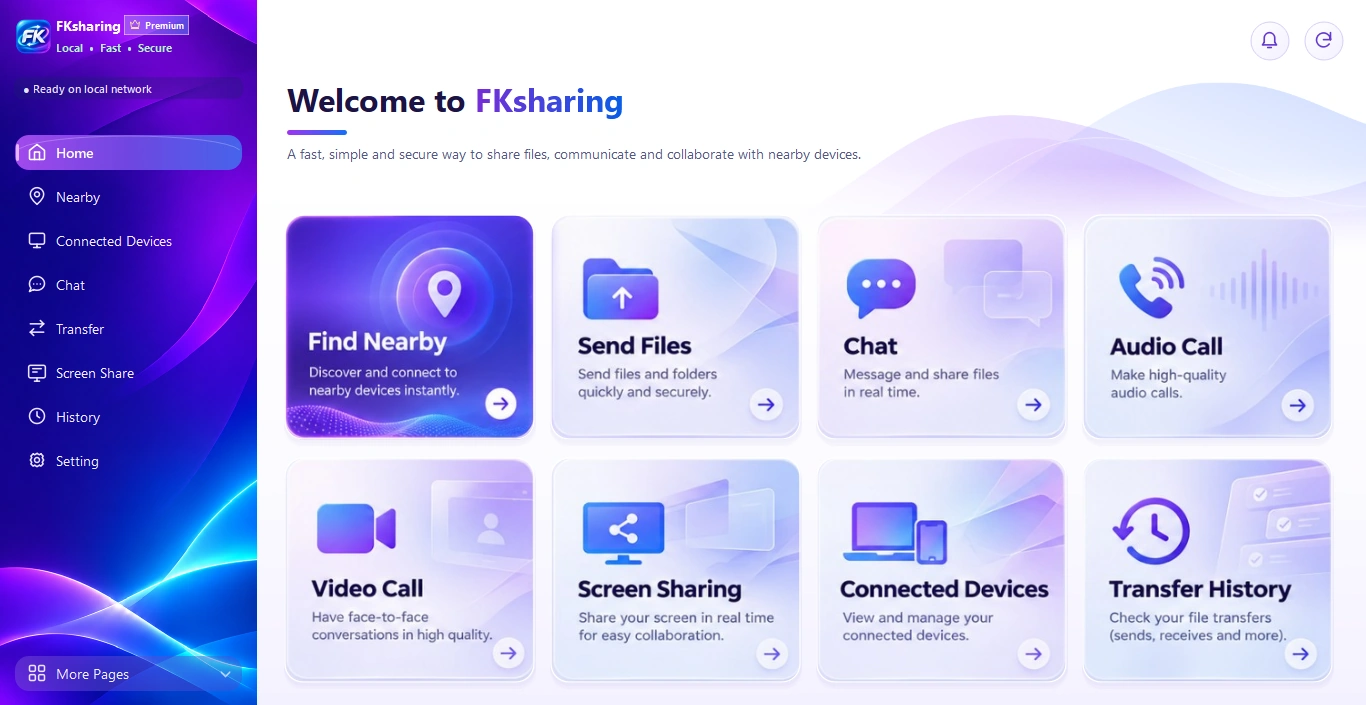
Bring your phone and PC closer. Send files, chat, call and share your screen directly across your local network — all in one beautifully connected experience.
 FKsharing
 NearbyTransfers
 Chat
 Screen
FKsharing is a local-first sharing and communication app built to make everyday collaboration across your devices simple, fast and practical.
From sharing a large folder at work to sending a photo to your phone, keep everything within reach without depending on a cloud file-sharing service.
Discover how it worksShare directlyFiles and folders Connect easilyAndroid + WindowsStay in touchLocal chat & calls
 Stay in controlLocal-first design
Built for everyday sharing, collaboration and communication.
Move documents, photos, videos and entire folders between compatible devices, without uploading them to a file-hosting service.
Discover devices on the same local network and connect in a few taps.
Keep conversations and attachments close to your workflow with device-to-device chat.
Talk to connected peers using supported local voice and video features.
Show your screen to a connected peer with permission. Mobile sharing is view-only.
Connect compatible devices using the in-app QR connection flow.
Keep track of sent and received files, and revisit your recent activity.
Share between Android and Windows, or between devices on the same platform.
Feature availability varies by platform, release and membership.
Choose the experience that fits your device.
 WINDOWS
A complete workspace for local file transfers, communication and screen sharing.
 ANDROID
A pocket-sized companion with an intuitive, touch-friendly interface.
Choose your platform for a quick walkthrough.
Download the Windows release, install it and follow the activation or eligible trial prompts.
Connect both devices to the same reachable LAN or Wi-Fi. Open Nearby and connect to a trusted peer.
Choose files or folders, send them and confirm on the receiving device. Chat and calls are also available on supported plans.
Download the Android APK from the official link. Install it and follow the welcome and membership prompts.
Join the same reachable Wi-Fi or supported hotspot. Find a device in Nearby or use the QR connection option.
Accept the connection and start a transfer, chat, call or view a shared screen as supported.
Device to deviceFKsharing is designed around direct local-network communication, not cloud file storage.
Flexible options for everyday users and long-term productivity.
Flexible access for everyday use.
A full year of connected productivity.
One-time membership option.
Indicative pricing in PKR. Confirm current price, device eligibility and license terms with support before purchase. Features may differ by platform.
Install on both devices and bring your local network to life.
Windows installer inside a ZIP archive
ZIP package · Windows installerAndroid APK inside a ZIP archive
ZIP package · Android APKOnly install official releases from trusted download links. Check permissions before enabling network access.
Everything you need to get started with FKsharing.
Still have questions?Local sharing and communication use a reachable local network, such as Wi-Fi, a compatible hotspot or wired LAN. Online activation, membership checks and update downloads may require internet access.
Yes. Install a compatible FKsharing release on both devices, connect them to the same reachable network, discover a peer and accept the connection.
Actual speed depends on network capacity, Wi-Fi signal, storage, device performance and membership restrictions. Unlimited plans remove the configured software speed cap; they do not guarantee a particular speed.
Transferred files are stored on the receiving device. Choose or check the receiving folder in the app. Local sharing does not need a cloud file relay.
Trial availability, duration, features and speed limits depend on the current offer and your device eligibility. An expired or previously used trial may not be available again.
Contact support to arrange a membership. Use the app’s online activation flow or a compatible offline activation key supplied to you. Check membership status in Settings.
Confirm both devices are on a reachable local network. Check Wi-Fi isolation, VPNs and Windows firewall permissions. Allow FKsharing only on trusted networks and restart discovery.
This site currently covers Android and Windows only. Other platforms are not advertised as supported.
Android screen sharing is for viewing with permission. Full remote control of Android is not offered. Desktop capabilities depend on the installed version and membership.
Need assistance with setup, membership, a download or a feature? Get in touch directly.

FKsharing is designed for local-network sharing. Files and supported communication are exchanged between participating devices rather than uploaded to a cloud file relay. Receiving devices retain their own copies. Local history and preferences may remain on devices until you clear them.
Online activation and membership services may process organization name, device identifier, platform, app version, license and trial information, and last-online status. Update checks may contact release services. Feedback is optional and sent only when you submit it. Support messages you send directly are handled through your selected email or messaging provider.
This static website does not include analytics, advertising trackers, a contact-form database or third-party embedded scripts. Your hosting provider may collect standard access logs. External download and communication services have their own privacy policies.
Use trusted networks, verify peers and permissions, and keep your devices and software updated. Local communication is not a guarantee of end-to-end encryption or protection against every threat. Contact support to request information about membership data or to ask about deletion, subject to applicable requirements and legitimate retention needs.
Privacy contact: payforeverything339@gmail.com.
Use FKsharing only for lawful sharing and communication with devices and people you are authorized to connect to. Obtain permission before transferring third-party content, accessing another device or sharing a screen.
Trial eligibility, price, duration, device limits and enabled features depend on the applicable membership. Confirm the current offer, renewal and any refund terms with support before payment. An offline or online license is subject to its issued terms. Lifetime refers to the applicable lifetime license terms, not an unconditional promise of perpetual service.
Actual transfer speed, compatibility and reliability depend on your devices, network and software version. Keep backups of important data and use official downloads. Software and online services may be updated, changed or interrupted.
Do not use the app to distribute malicious files, access devices without permission or infringe intellectual property rights. Contact support with questions about the applicable terms. Nothing in these terms removes rights that cannot be waived under applicable law.